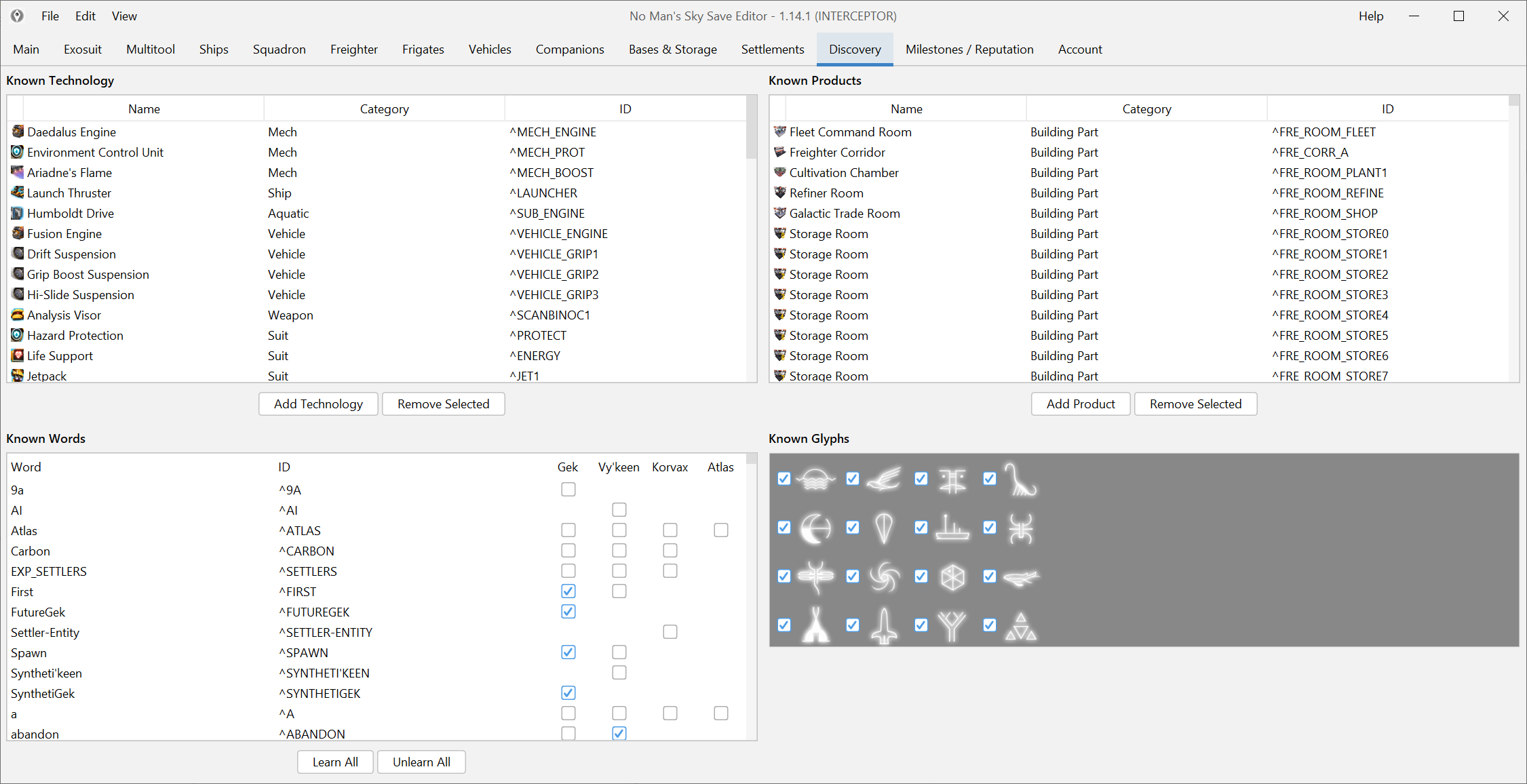
Treat this as an unlock task, not as a general item edit
Legacy parts usually sit closer to unlock and discovery logic than to a normal inventory workflow. That is why the right starting point is the editor’s unlock-oriented sections instead of random item lists.
If your real goal is a broader entitlement recovery job, Unlock expedition rewards is the better companion page.
Back up first and change one unlock group at a time
This is still save editing. Do not flip a dozen adjacent options because they look related.
Use a slower pattern:
- back up the save,
- open the relevant unlock area,
- change one logical group,
- save,
- verify in the build menu.
That makes it much easier to undo the change cleanly if you overshoot.
Verify in the build menu, not in the editor
The edit is only useful if the build piece appears where it should in game. After each change, load the save and confirm the part shows up in the expected build category.
Do not treat the editor state alone as proof that the job is done.
If the exact part is still missing
There are two common reasons:
- the part belongs to a different unlock group than you first expected,
- or the current build has not fully caught up to the newest content or reward mapping yet.
If you are working on something tied to a very recent update, stop and check Compatibility and changelog before you keep toggling nearby options.